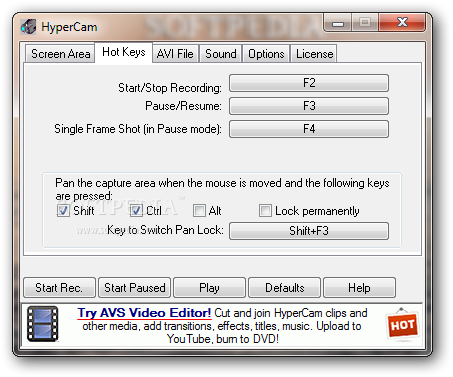
HyperCam captures the action and sound from any part of Windows desktop and saves it to standard AVI movie files. Captures cursor movements, menus selections, windows popping up and everything else you see on the screen. Correctly handles color palette changes if recording in 256 color mode. Allows you to pan the recorded area around the screen. Optionally annotates recorded movies with text. Can be also controlled remotely by Automation client software.
hi, today i`m going to write about Windows XP transformation. You will need few simple programs.
1. First transformation is a 3d cube and few virtual desktops like in Linux. Download Cube Desktop from link below. Oh, of course you don't know how it looks like... It look like this:
Not the greatest quality but you can see how it looks like and works...
I will try to film a video and i will show how to install and set a parameters... you can watch on youtube.com or download it.
And you got 3d desktop like in Linux...
tomorrow maybe later i will post how to get appearance line in Linux OS.
Windows Xp block 20per cent of your internet connection`s speed. But you can unblock it manually.
1. Go to Start>Run ant type gpedit.msc
2. And then will pop up a "Group Policy" window there you must go to Administrative Templates> Network> QoS Packet Scheduler> Limit reservable bandwidth.
3. Open "Limit reservable bandwidth" now will pop up another window. Select Enabled and Bandwidth set to 0 per cent.
I had to install Windows Xp back to my computer. And i wanted to get back all my formates files like photos, music and etc. Of course you can use it when you deleted important files or something. If you want do that too i can help you. First you will need "Recover My Files" Download this and go follow me.
1. Click second mouse button and click extract here
3. After installation run "Recover My Files" and for example we`ll take complete file search (click next).
4. Setting parameters. Select from where you want to recover files.
5. Now you must select witch type of files you want to recover. You can select almost all types of files from 3ds max to mpg4.
6. When you select press start and now wait until it will be ended, it can take from 3 seconds to 24 hours. It depend on your HDD.
7. When it ends you have to select which files you want to save in your HDD.
8. When you selected all what you need, press "Save Files" and choose a directory where you want to save your files. And thats all :)... Having question post here i will try help you :)
This all tutorial was made by me "dRm?" and if you want to copy it to your website or blogg first ask me. me.liezuvis@gmail.com
Now i`m trying to solve problem why i cant get glow effects of Linux Ubuntu i get error like this:
So I decided to go to official
Linux Ubuntu forum, i posted few question about it but until now i cant get any answers to my post. That pissed me off. So i decided to download a different Linux version Mandriva weight about ~4.10gygabytes thats allot for my internet speed (download ~120kb/s, upload ~70kb\s). Now I`m waiting when it will be downloaded left about 50% it should be downloaded in about 6 ours.
Software installation problem
I downloaded Skype (about Skype will talk in the next post) Linux version, tried to install but i get an error which says that i cant install because of wrong Architecture "i386" i though "holly cow what is that" so i posted about it in Linux Ubuntu forum but until now no one can answer me (what a shame). Thats all for now bye bye i`m going to watch "Heroes" and after that to bed. Goodnight!
Before few days i downloaded Linux Ubuntu. I heard from other that this is one of the best OS. So after i downloaded, installed and one thing in installation because when i installed i needed to setup my partition but there was no explanation and Linux formated my HDD (Hard Drive Disk). And first review: I like it it was fast i did not needed to install any drivers because Linux do that for you. Problem with software. I downloaded wrong version i think 64x or 86x i don`t know exactly. And i couldn't turn on all desktop effects:
Hello, my name is Julius aka "dRm" (this is my nick name), so i`m from Lithuania its a small country nearby Baltic sea. So in this blog i will write everything about my computer, will do experiments with it.
Hi my name is Julius Noreika thats official on the internet i`m known as "dRm?" or "Zenith". I`m almost 18 years old. I`m interested in internet, computer and other that stuff.!


 So I decided to go to official

